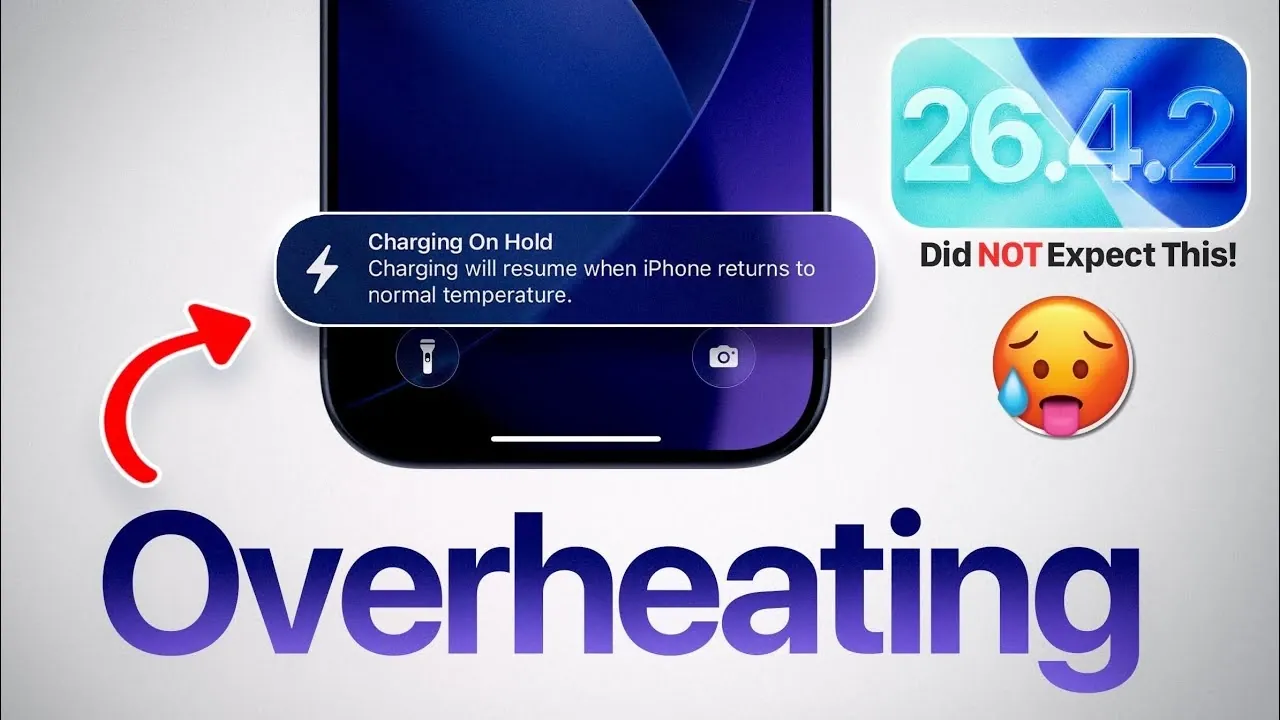
Apple’s iOS 26.4.2 update introduces a combination of enhancements and challenges, with its impact varying across different iPhone models. While the update addresses critical bugs and improves system performance, it also brings certain issues that may influence your daily usage. Understanding these changes can help you make the most of your device and prepare for potential adjustments. The video below from iDeveiceHelp gives us more details.
A significant improvement in iOS 26.4.2 is the resolution of a long-standing issue where deleted notifications would reappear in the notification center. This fix is particularly valuable for users who prioritize a clean and organized notification center to maintain productivity. Additionally, Apple has implemented subtle yet effective stability enhancements across the operating system. These changes contribute to smoother app performance, fewer crashes and a more reliable user experience.
Beyond these fixes, the update also addresses minor glitches that previously disrupted functionality. These improvements reflect Apple’s ongoing commitment to refining the iOS ecosystem, making sure that users encounter fewer interruptions during daily tasks.
Battery performance under iOS 26.4.2 varies significantly depending on the iPhone model you use.
While newer models benefit from optimized power management, the disparity in battery performance highlights the growing gap between older and newer hardware. Future updates may need to address these inconsistencies to ensure a more balanced experience across all devices.
Overheating has emerged as a notable concern for some users following the iOS 26.4.2 update. Both older and newer iPhones have experienced elevated temperatures during prolonged use or while charging. In certain instances, the “charging on hold” notification has appeared, temporarily pausing the charging process to prevent potential damage.
While this safety feature demonstrates Apple’s proactive approach to device protection, it also underscores the need for improved thermal management in future updates. Users who frequently engage in demanding activities, such as gaming or video editing, may find this issue particularly inconvenient.
Despite its improvements, iOS 26.4.2 is not without its quirks. Some users have encountered minor bugs that, while not critical, can detract from the overall experience. These include:
Although these issues do not significantly impact the core functionality of the device, they may require attention in subsequent updates to enhance user satisfaction.
On a positive note, iOS 26.4.2 delivers stable and reliable network performance. Users overview consistent call quality, seamless internet browsing and dependable Bluetooth connectivity. These improvements are particularly beneficial for those who rely on their devices for work, streaming, or connecting to external peripherals. The absence of major connectivity issues ensures that users can enjoy uninterrupted communication and entertainment.
System performance under iOS 26.4.2 is generally smooth, with apps loading quickly and animations appearing fluid. The update enhances overall responsiveness, making daily interactions with the device more seamless. However, the presence of minor bugs, battery inconsistencies and overheating concerns may temper the overall experience for some users.
Newer devices, equipped with advanced hardware, benefit the most from these performance improvements. In contrast, older models may struggle to fully adapt to the changes introduced by the update, highlighting the importance of hardware compatibility in achieving optimal performance.
The iOS 26.4.2 update represents a step forward in Apple’s ongoing efforts to refine its mobile operating system. For users with newer iPhones, the update offers improved battery life, stable connectivity and enhanced system performance. However, those with older devices may encounter challenges such as faster battery drain, overheating and minor bugs.
While the update resolves critical issues and enhances reliability, it also highlights areas that require further refinement. As Apple continues to release updates, users can anticipate additional optimizations aimed at delivering a more consistent and satisfying experience across all devices.
Gain further expertise in iOS 26.4.2 update by checking out these recommendations.
Source & Image Credit: iDeviceHelp
Filed Under: Apple, Apple iPhone, Top News
Disclosure: Some of our articles include affiliate links. If you buy something through one of these links, Geeky Gadgets may earn an affiliate commission. Learn about our Disclosure Policy.



Leave a comment